
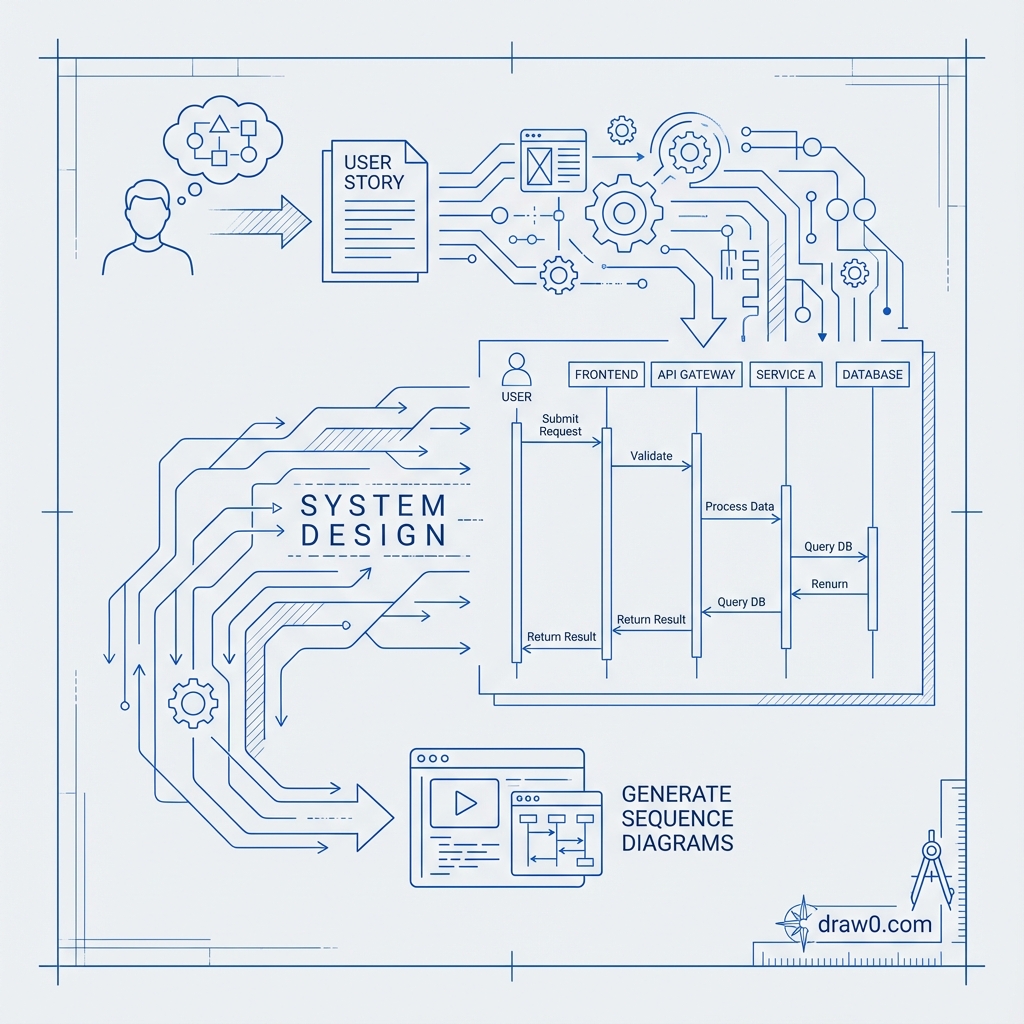
"As a user, I want to log in to the system so I can access my personalized dashboard." Simple, right? But how do you translate this user story into a technical sequence diagram showing all the API calls, database queries, and system interactions? With AI, what used to take hours now happens in seconds.
The Challenge of Translating User Stories into Technical Diagrams
User stories are the bridge between business requirements and technical implementation. Product managers write them in simple, user-focused language. But developers need detailed technical specifications showing exactly how different system components interact to fulfill that requirement.
The traditional process of converting user stories to sequence diagrams is painful:
- Knowledge gap: Product managers who write user stories often lack deep technical knowledge of system architecture.
- Time-consuming translation: Developers must manually interpret each story and diagram out every interaction.
- Inconsistency: Different team members create diagrams in different styles, making documentation hard to follow.
- Maintenance burden: When requirements change, diagrams must be manually redrawn.
- Tool complexity: Creating UML sequence diagrams in traditional tools requires learning specific syntax and notation.
"Research shows that automated transformation of user stories into sequence diagrams in the Scrum process can be easily used to generate test cases, dramatically improving development efficiency."
What is a Sequence Diagram and Why is it Important?
A sequence diagram is a type of UML (Unified Modeling Language) diagram that shows how objects or components in a system interact with each other over time. It visualizes the flow of messages and the sequence of operations, making it invaluable for system design and documentation.
Key Components of Sequence Diagrams
- Actors/Objects: Represented as boxes at the top, showing the participants in the interaction (users, servers, databases, services).
- Lifelines: Vertical dashed lines showing the timeline for each participant.
- Messages/Arrows: Horizontal arrows between lifelines showing communication and method calls.
- Activation Boxes: Rectangles on lifelines showing when an object is actively processing.
- Return Messages: Dashed arrows showing responses to method calls.
Why Sequence Diagrams Matter
Sequence diagrams provide critical benefits for software development:
- Visualization: They provide a clear and intuitive way to understand how the system operates, making complex interactions comprehensible.
- Communication: They serve as a universal language for both technical and non-technical team members, facilitating stakeholder collaboration.
- Design validation: By analyzing sequence diagrams, teams can identify design flaws, inconsistencies, redundancies, or unnecessary complexity.
- Testing blueprint: Sequence diagrams provide a clear blueprint for developers to follow during testing, helping identify edge cases.
- Documentation: They serve as critical documentation for system maintenance and future enhancements, helping new developers understand system behavior.
How to Use Draw0 to Convert User Stories into Sequence Diagrams
Draw0 leverages AI and natural language processing to automatically generate sequence diagrams from user stories. Here's how it works:
Traditional Approach: Manual Creation
Before AI, creating a sequence diagram required:
- Reading the user story and interpreting technical requirements
- Identifying all system components involved
- Mapping out message flows manually
- Learning UML syntax (or PlantUML/Mermaid code)
- Drawing the diagram in a tool like Visio or diagrams.net
- Manually adjusting layout for readability
Time required: 30-60 minutes per user story
AI-Powered Approach with Draw0
With Draw0's AI sequence diagram generator, the process is simple:
- Paste your user story or describe the interaction
- AI automatically identifies participants (users, APIs, databases, services)
- AI determines the logical sequence of operations
- Draw0 generates a professional, UML-compliant sequence diagram
- Refine through natural language ("add error handling" or "show the retry logic")
Time required: 30-60 seconds
Real-World Example: "User Logs In" → Complete Technical Visualization
Let's walk through a complete example. Here's a typical user story:
User Story:
"As a registered user, I want to log in using my email and password so I can access my personalized dashboard. If my credentials are incorrect, I should see an error message. If correct, I should be redirected to my dashboard with a session token."
Prompting Draw0
Simply describe what you want to visualize:
"Create a sequence diagram for user login: User submits email and password → Frontend sends POST request to Auth API → Auth API queries User Database → Database returns user record → Auth API validates password hash → If valid, Auth API generates JWT token and returns to Frontend → Frontend stores token and redirects to Dashboard → If invalid, Auth API returns error → Frontend displays error message"
What Draw0 Generates
Draw0's AI automatically creates a complete sequence diagram showing:
- User (actor) initiating the login action
- Frontend (React/Vue app) receiving form submission
- Auth API (backend service) processing the request
- User Database (PostgreSQL/MySQL) storing credentials
- Message flows:
- User → Frontend: Submit credentials
- Frontend → Auth API: POST /api/login
- Auth API → Database: SELECT user WHERE email = ?
- Database → Auth API: Return user record
- Auth API internally validates password hash
- Auth API → Frontend: Return JWT token (success path)
- Auth API → Frontend: Return error (failure path)
- Frontend → User: Redirect or show error
- Activation boxes showing when each component is actively processing
- Alt/Else blocks for conditional logic (success vs. failure paths)
Refining the Diagram
Need to add more detail? Just ask:
- "Add rate limiting before the database query"
- "Show the JWT token validation step"
- "Include Redis cache for session storage"
- "Add a 2FA verification step after password validation"
Draw0 understands the context and updates the sequence diagram accordingly, maintaining proper UML notation.
Best Practices for Maintainable Sequence Diagrams
1. Keep Them Focused
Each sequence diagram should represent one specific user story or use case. Don't try to cram multiple scenarios into a single diagram. If your diagram has more than 8-10 participants, consider splitting it.
2. Use Consistent Naming
Maintain consistent names for components across all diagrams. If you call something "Auth Service" in one diagram, don't call it "Authentication API" in another. AI helps with this by learning your preferred terminology.
3. Document Assumptions
Add notes to your diagrams explaining important assumptions, especially around error handling, timeouts, and edge cases. Draw0 allows you to add annotations directly through natural language.
4. Version Control Your Diagrams
Export your sequence diagrams as code (Mermaid.js or PlantUML) and store them in version control alongside your code. This ensures diagrams stay in sync with implementation.
5. Include Error Paths
Don't just show the happy path. Sequence diagrams should visualize error conditions, timeouts, retries, and failure scenarios. This helps teams think through edge cases during design.
6. Update Diagrams When Requirements Change
With traditional tools, updating diagrams is so tedious that they often become outdated. With AI generation, updating is as simple as describing what changed. Keep your diagrams current by regenerating them when user stories evolve.
Advanced Tips
- Loop interactions: Use "repeat until" or "loop while" language to show iterative processes
- Parallel processing: Describe concurrent operations and Draw0 will show them with par/parallel blocks
- Optional flows: Use "optionally" or "if available" to create opt blocks for conditional features
- Timing constraints: Mention specific timeouts or delays to document performance requirements
- Database transactions: Explicitly mention "begin transaction" and "commit/rollback" for data integrity flows
From Sequence Diagrams to Test Cases
One powerful benefit of sequence diagrams is their use in test automation. Research shows that automatically generated sequence diagrams can be easily used to generate test cases. Each message flow in the diagram represents a testable interaction.
Teams using Draw0 report that sequence diagrams significantly improve:
- Test coverage: Visual flows make it obvious what needs testing
- QA efficiency: Testers can see exactly what behavior to verify
- Bug reproduction: Issues can be traced through the sequence diagram
- Integration testing: Multi-service interactions are clearly documented
The Future of Requirements-to-Design Translation
The ability to automatically generate sequence diagrams from user stories represents a fundamental shift in how we bridge the gap between business requirements and technical implementation. As Large Language Models continue to improve, we're moving toward a future where:
- Every user story automatically has corresponding technical diagrams
- Diagrams update themselves when requirements change
- System architecture emerges from aggregated sequence diagrams
- Test cases generate automatically from diagram flows
Get Started with AI-Generated Sequence Diagrams
Ready to transform your user stories into professional sequence diagrams? Try Draw0's AI sequence diagram generator. Simply describe your user story in natural language, and watch as AI creates a complete, UML-compliant visualization of all system interactions - including API calls, database queries, error handling, and response flows.
Whether you're a product manager trying to communicate requirements, a developer designing system architecture, or a QA engineer creating test plans, AI-powered sequence diagrams make complex system interactions crystal clear. No UML syntax to learn, no manual layout adjustments - just describe what you need and get professional diagrams in seconds.