
"Users have many Posts, and each Post belongs to one User." This simple description contains everything needed to create a database schema. But traditionally, translating these relationships into a proper Entity Relationship Diagram (ERD) required manual work with specialized tools. Not anymore.
The Basics of Entity Relationship Diagrams (ERDs)
An Entity Relationship Diagram is a visual representation of your database structure. It shows:
- Entities: The "things" in your system (Users, Posts, Orders, Products)
- Attributes: The properties of each entity (email, title, price, created_at)
- Relationships: How entities connect (one-to-many, many-to-many)
- Primary Keys: Unique identifiers for each record
- Foreign Keys: References linking entities together
- Cardinality: The numerical relationship between entities (1:1, 1:N, N:M)
ERDs are essential for:
- Database design: Planning schema before writing SQL
- Team communication: Showing non-technical stakeholders how data flows
- Documentation: Creating lasting reference for maintenance
- Normalization: Identifying redundancy and optimization opportunities
- Migration planning: Visualizing schema changes before implementation
Why Manual ERD Creation is Tedious and Error-Prone
Traditional ERD creation involves:
- Learning specialized notation: Chen notation, Crow's Foot notation, UML notation - each with specific symbols and rules
- Manual entity identification: Analyzing requirements to extract all entities
- Attribute mapping: Determining which properties belong to which entity
- Relationship determination: Figuring out cardinality and foreign key placement
- Layout and organization: Arranging entities for readability without crossing lines
- Tool mastery: Learning ERD-specific software like MySQL Workbench, dbdiagram.io, or Lucidchart
Common Errors in Manual ERD Creation
- Incorrect cardinality: Showing one-to-many when it should be many-to-many
- Missing foreign keys: Forgetting to add the reference column
- Wrong normalization: Storing data that should be in a separate table
- Inconsistent naming: Using different conventions across tables
- Data type mismatches: Foreign key types not matching primary keys
"In 2026, AI tools can now generate ER diagrams from SQL, text prompts, or existing databases, then help you refine and keep them in sync. This is finally changing the tedious nature of database design documentation."
How to Describe Your Data Model to Draw0
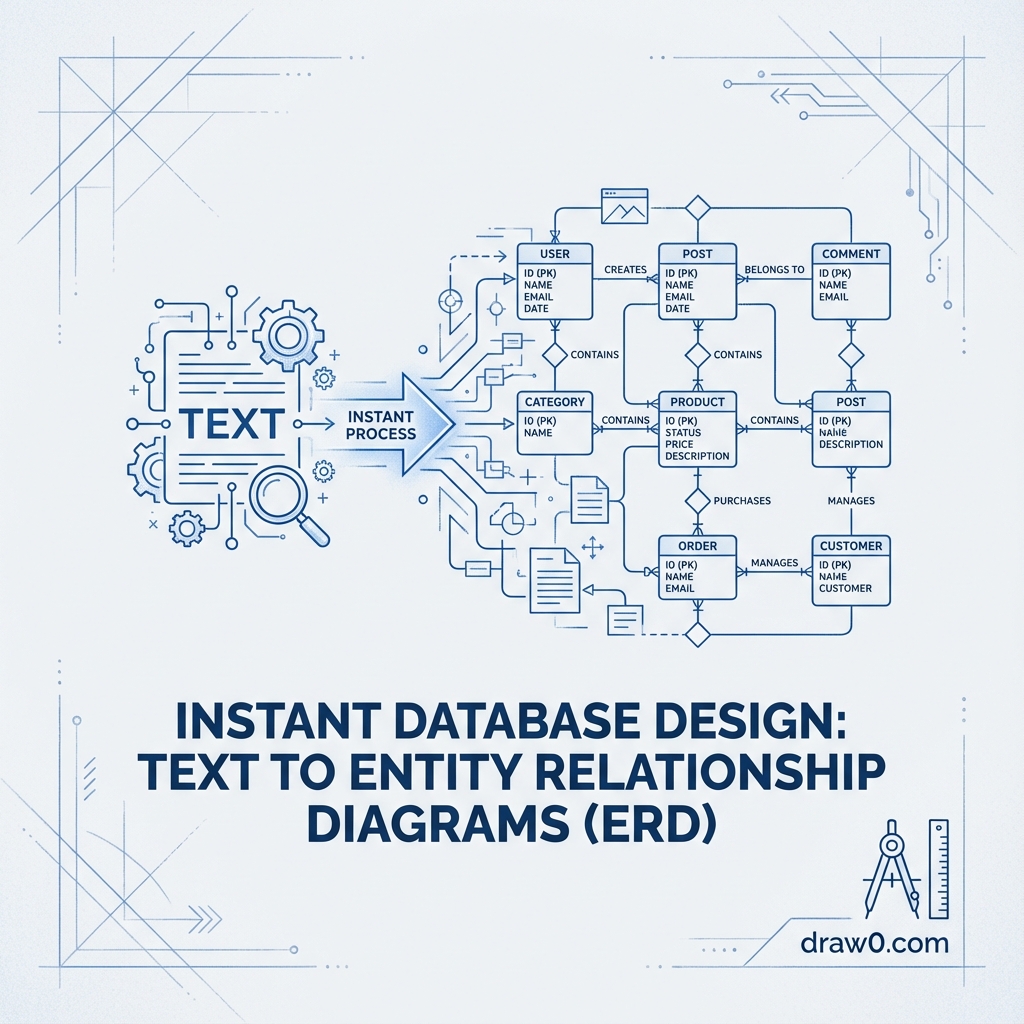
With AI-powered ERD generation, you simply describe your database in natural language. Draw0 automatically identifies entities, attributes, primary keys, foreign keys, and relationship cardinality.
Simple Example: Blog Platform
"Create an ERD for a blog platform. Users have many Posts. Each Post belongs to one User. Posts have many Comments. Comments belong to both a Post and a User. Users can follow other Users (many-to-many). Posts belong to Categories (many-to-many)."
What Draw0 Automatically Generates
From this description, Draw0 creates:
Entities with Attributes:
- User: id (PK), email, username, password_hash, created_at, updated_at
- Post: id (PK), user_id (FK), title, content, published_at, created_at
- Comment: id (PK), post_id (FK), user_id (FK), content, created_at
- Category: id (PK), name, slug
- PostCategory: post_id (FK), category_id (FK) - junction table
- UserFollows: follower_id (FK), following_id (FK) - junction table
Relationships with Correct Cardinality:
- User → Post: One-to-Many (1:N)
- Post → Comment: One-to-Many (1:N)
- User → Comment: One-to-Many (1:N)
- Post ↔ Category: Many-to-Many (N:M) via PostCategory
- User ↔ User: Many-to-Many (N:M) via UserFollows (self-referencing)
Complex Example: E-Commerce Platform
"Design an ERD for an e-commerce platform. Customers place Orders. Each Order contains multiple OrderItems. OrderItems reference Products with quantity and price. Products belong to Categories. Customers have multiple Addresses. Orders ship to one Address. Products have Inventory tracking. Reviews belong to Products and Customers."
Draw0 intelligently creates:
- Proper normalization (price stored in OrderItem, not just Product, to preserve historical pricing)
- Junction tables where needed (OrderItem linking Orders and Products)
- Weak entities (Address might include customer_id as part of composite key)
- Self-referential relationships if applicable (Product → related_products)
- Timestamps (created_at, updated_at) automatically added
- Appropriate data types inferred from context
Refining Relationships and Attributes Through Chat
The power of AI ERD generation isn't just initial creation - it's the ability to iterate conversationally.
Adding Attributes
"Add is_verified boolean to User and soft delete support with deleted_at timestamp"
Draw0 updates the User entity with these new fields and adjusts queries accordingly.
Modifying Relationships
"Actually, Products should have Variants (size, color). Customers add Variants to cart, not Products directly."
Draw0 refactors the schema:
- Creates new ProductVariant entity
- Moves inventory tracking to ProductVariant
- Updates OrderItem to reference ProductVariant instead of Product
- Adjusts foreign keys throughout
Changing Cardinality
"Orders should support split shipping - multiple Shipments per Order, each with its own Address and tracking number."
Draw0 creates:
- Shipment entity (id, order_id, address_id, tracking_number, shipped_at)
- ShipmentItem entity linking Shipment to OrderItem
- Updates relationships from Order → Address to Shipment → Address
Normalization Suggestions
AI provides intelligent feedback:
- "You're storing category_name in the Post table. Should we normalize this into a separate Category entity?"
- "Customer has billing_address fields directly. Consider a separate Address entity for flexibility."
- "Product and ProductVariant both have description. Is this intentional or should variant-specific details be separate?"
Pro Tips for Better ERDs
- Start with entities and relationships, add attributes later - easier to refine structure first
- Be explicit about cardinality - say "one-to-many" instead of just "Users have Posts"
- Mention junction tables for many-to-many - "via PostCategory table" helps AI understand intent
- Specify data types when important - "UUID for IDs" or "JSONB for metadata"
- Include constraints - "email must be unique" or "price cannot be negative"
Exporting Your ERD for Technical Documentation
Once your ERD is complete, Draw0 offers multiple export formats:
1. SQL Schema Export
Generate complete CREATE TABLE statements for:
- PostgreSQL
- MySQL/MariaDB
- SQLite
- SQL Server
Includes proper data types, constraints, indexes, and foreign key relationships specific to your database.
2. ORM Model Export
Generate model code for popular ORMs:
- SQLAlchemy (Python): Complete model classes with relationships
- Prisma (TypeScript): schema.prisma file ready to use
- Django (Python): models.py with all fields and relationships
- TypeORM (TypeScript): Entity decorators and relations
- Eloquent (PHP): Laravel model classes
3. Documentation Formats
- PNG/SVG: High-resolution images for documentation
- PDF: Print-ready diagrams for technical specs
- Markdown: Text-based schema documentation
- HTML: Interactive documentation with hover details
- DBML (Database Markup Language): Code-based diagram format
4. Diagram-as-Code Export
Export as Mermaid.js code to embed in:
- GitHub README files
- GitLab documentation
- Notion pages
- Confluence
- Markdown documentation
Real-World Use Cases
1. Greenfield Projects
Starting a new application? Describe your requirements and get a complete database schema in minutes. Iterate with stakeholders before writing any SQL.
2. Legacy System Documentation
Have an undocumented database? Paste existing SQL schema and Draw0 generates visual ERDs, making it easier to understand complex legacy systems.
3. Schema Migration Planning
Planning major changes? Visualize the new schema alongside the old, identify migration steps, and generate ALTER TABLE scripts.
4. Educational Tool
Teaching database design? Students can describe their idea in plain English and immediately see proper ERD representation, learning normalization and relationships visually.
5. API Design
Designing a REST or GraphQL API? ERDs help visualize data relationships, informing endpoint structure and query complexity.
The Future of Database Design
AI-powered ERD generation represents more than just faster diagram creation. It's changing how we think about database design:
- Collaborative design: Non-technical stakeholders can participate in schema discussions
- Living documentation: ERDs stay in sync with actual database schema through automated updates
- Intelligent suggestions: AI recommends normalization, indexes, and performance optimizations
- Migration automation: Visual changes automatically generate migration scripts
- Multi-database support: Design once, deploy to multiple database systems
Get Started with AI-Powered ERD Generation
Ready to revolutionize your database design process? Try Draw0's text-to-ERD generator. Simply describe your data model in plain English - "Users have many Posts, Posts belong to Categories" - and watch as AI creates a complete, normalized entity relationship diagram with proper cardinality, foreign keys, and relationship notation.
Refine through conversation, export to SQL or your favorite ORM, and maintain living documentation that evolves with your application. Database design has never been this intuitive.